KYC Documents (Mandatory)
Before you can sell on Lizimas Store we confirm who you are and that your business is real. This page lists every document we ask for, what a good upload looks like, and how to send it.
Start selling Sign in to uploadWhy these documents are mandatory
Customers buy from people they can trust. Checking every vendor's identity keeps fake shops and counterfeit goods off Lizimas Store, makes sure your earnings are paid to you and nobody else, and keeps the marketplace in line with Ugandan law.
Until your required documents are approved, your products are not shown on the store and payouts are not released.
Individual sellers
Selling in your own name, without a registered company? You need one identity document.
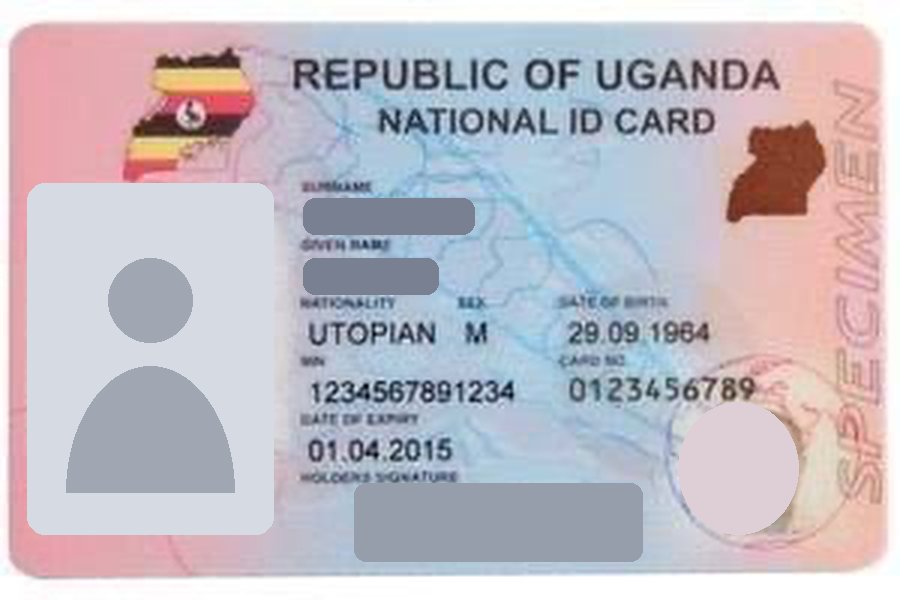
Identity Document Required
One of: National ID, Passport or Driving Licence. You also type the document number and its expiry date.
Work Permit Non-Ugandans only
If you are not a Ugandan citizen, upload your valid work permit as well.
Company / business sellers
Selling as a registered company? You need these four documents, in the company's name.
| Document | What it is | Issued by |
|---|---|---|
| Business Registration Certificate Required | Proof your business is registered, with its registration number. | URSB |
| Tax Certificate (TIN) Required | Your Tax Identification Number certificate, in the business name. | URA |
| VAT Certificate Required | Your VAT registration certificate. | URA |
| Form 20 Required | Particulars of directors: the people who run the company. | URSB |
| Work Permit Non-Ugandans only | For an owner or director who is not a Ugandan citizen. | Immigration |
You also type your URSB registration number, TIN and VAT number. We check the registration number against the URSB eRegistry, so company accounts can take a little longer to review.
What a good photo looks like
Most rejected uploads are rejected for the photo, not the document. Take the photo with your phone camera and upload it directly.
- Photograph the original document, in colour. Black-and-white copies and screenshots are not accepted.
- Show the whole document with all four corners inside the photo.
- No glare, shadows or fingers over the name, photo, number or expiry date.
- The document must be valid. An expired ID or permit is rejected.
- Photos sent through WhatsApp are made smaller and often can't be read. The photo should be at least 800 × 500 pixels.
- Accepted files: JPG, PNG or WEBP photos up to 5MB. Business certificates can also be a PDF.
Payout account proof
To be paid you add a payout account, Mobile Money or bank, and show that it belongs to you.
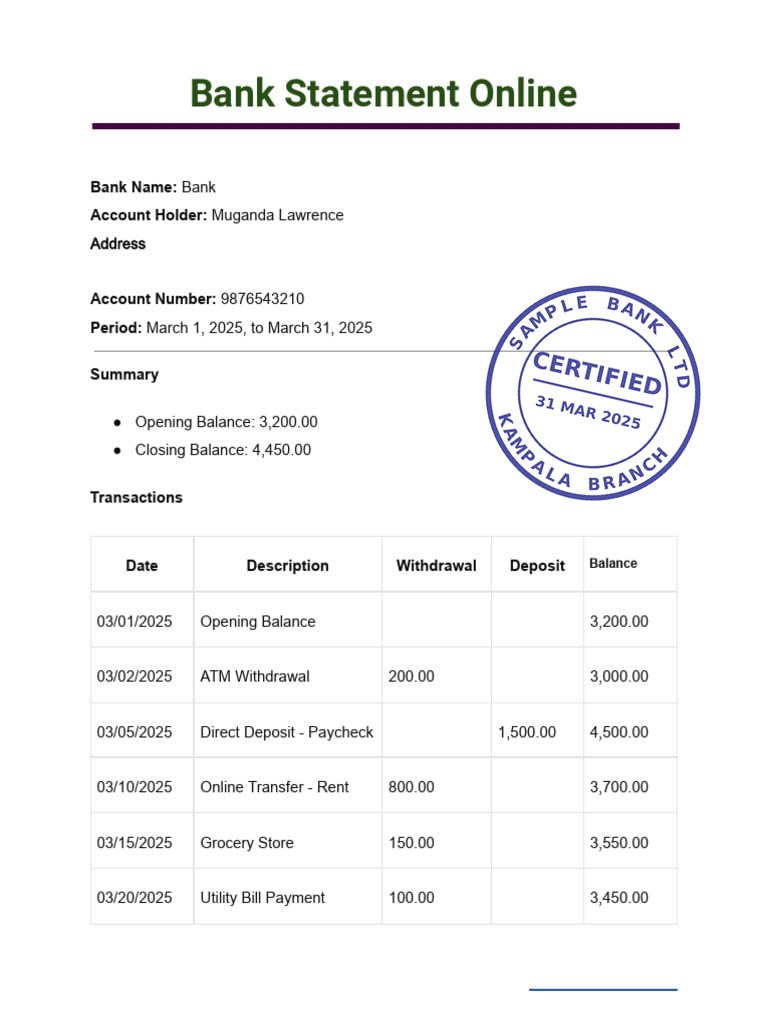
- Individual sellers: the account must be in your own name, the same name as on your identity document.
- Companies: the account must be in the registered business name.
- An account in another person's name is never accepted. This protects your money from being paid to the wrong place.
The pictures above are samples that show the layout only. They are not real documents.
How to upload your documents
- Register or sign in to your Lizimas vendor account.
- Open Verification (on a phone: Account, then Identity & Business Verification).
- Each required document has its own row marked Missing. Press Upload Document on the row.
- For the identity document, choose the type, type the number and expiry date, then choose the photo.
- Fill in your registration, TIN and VAT numbers if you are a company, then press Submit for Review.
What happens after you submit
| Status | What it means | What you do |
|---|---|---|
| Missing | We don't have this document yet. | Upload it. |
| Submitted, in review | Our team is checking it. | Nothing. Wait for the result. |
| Approved | The document is accepted. | Nothing. |
| Upload again | It was rejected. The reason is shown on the row. | Fix what the note says and upload a new one. |
When every required document is approved your account shows Verified. If Lizimas Store later asks for a document again, for example because one has expired, your shop can be put on hold until you upload it. The hold is lifted as soon as the document is approved.
Common questions
My upload was rejected because the name doesn't match. What now?
Upload a document that shows the same name as your vendor account. If your name has changed, or the account name was typed wrongly, contact Lizimas Store support before uploading again.
My ID expires soon. Can I still use it?
Yes, as long as it is valid on the day you upload it. Upload the new one when you renew.
I don't have a VAT certificate.
If you are not a registered company, register as an individual seller instead. Individual sellers only need the identity document.
Can I send my documents by WhatsApp or email?
No. Documents are only accepted through the Verification page of your vendor account, where they are stored securely.
Who can see my documents?
Only the Lizimas Store staff who review vendor accounts. They are never shown to customers or other vendors.